
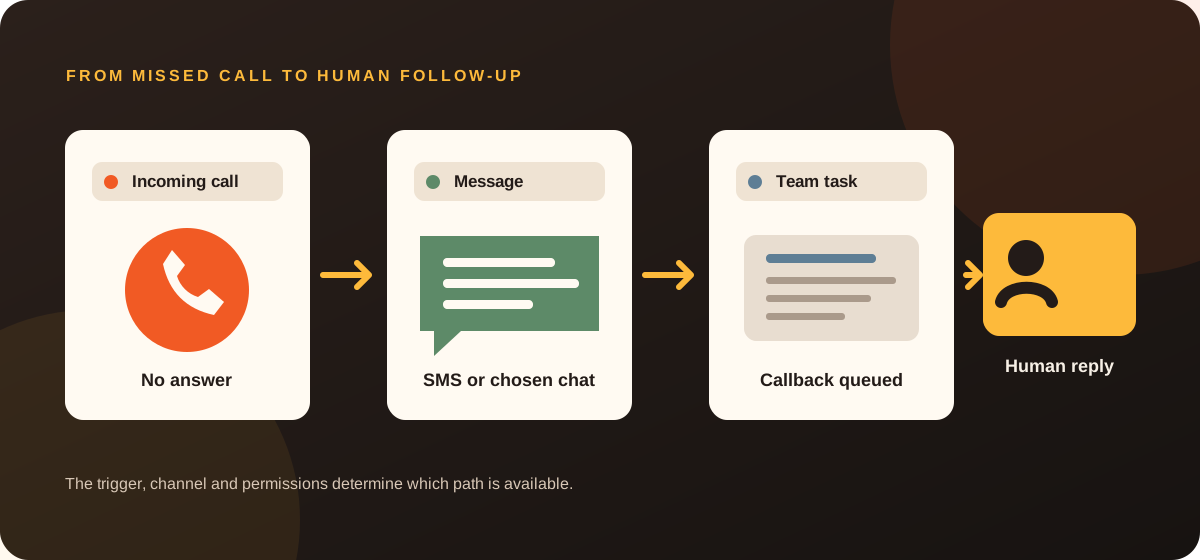
From one automatic text message to an AI receptionist, here are practical ways to stop enquiries slipping through the cracks, including WhatsApp, CRM tasks and voice messages.
When you're running a small business, answering the phone isn't always possible. You might be driving between jobs, working with a customer or halfway through something that can't be interrupted.
The caller doesn't necessarily know that. They just know you didn't answer.
You don't have to hire another person or build an elaborate AI system to handle this better. Sometimes the answer is a single automatic SMS. Sometimes it means letting customers send you a WhatsApp message instead. For busier businesses, it can mean a system that captures the details and creates a callback task before you've even looked at your phone.
Here are six options, starting with the simplest.
At a glance: Which option makes sense?
| Approach | What it solves | Complexity | Best for |
|---|---|---|---|
| 1. Basic missed-call SMS | Acknowledge an unanswered call | Low, if compatible with phone provider | Sole traders and tradies |
| 2. Two-way SMS | Collect the reason for calling | Low to medium | Businesses handling repeat enquiries |
| 3. SMS + CRM callback tasks | Keep every response organised | Medium | Teams and growing service businesses |
| 4. WhatsApp Business setup | Offer a clear, professional message channel | Low | Businesses whose customers prefer messaging |
| 5. WhatsApp and Meta workflows | Handle opted-in conversations across channels | Medium to high | Teams already using WhatsApp, Instagram or Messenger |
| 6. AI phone receptionist | Speak to callers and qualify enquiries | Medium to high | Businesses with high call volumes or repetitive intake |
Key difference: SMS can be triggered by a missed-call event where supported. WhatsApp Business greetings typically respond to WhatsApp messages, not telephone missed-call events. API-driven WhatsApp outreach requires a separate eligibility, opt-in and template review.
Explore the follow-up workflows
Select a pathway to see what triggers it, what the customer receives and where a person takes over. The examples below are illustrative; provider compatibility and permissions determine what can be built.
Trigger: Unanswered phone call
- 01Incoming call
- 02No answer
- 03Automatic SMS
- 04Human callback
Where the phone provider supports a missed-call event, an eligible mobile caller gets a short acknowledgement. A person returns the call.
Check first: Check phone-system compatibility and avoid duplicate texts when the same person calls again.
1. Basic missed-call text-back: The small fix that may make the biggest difference
- 01Incoming call
- 02No answer
- 03Automatic SMS
- 04Human callback
Picture an electrician on a ladder. A new customer calls, the phone rings, but nobody can safely answer it.
Instead of silence, the customer receives:
Hi, it's Sunshine Coast Electrical. Sorry we missed your call. Reply with what you need help with and we'll get back to you as soon as we can.
That's the entire experience. No chatbot, no elaborate CRM, no complicated conversation. Just a useful acknowledgement, followed by a human callback.
This can be particularly valuable when customers are likely to call the next business on their search results page if they don't hear back.
What has to happen behind the scenes?
The phone system needs to tell the automation that a call was missed, and the automation needs a way to send an SMS to the caller's eligible mobile number. Depending on the carrier and system, this might involve call forwarding, an integrated business phone service or additional telephony software.
It isn't guaranteed to work with every ordinary mobile number or every carrier. Test it before buying.
Best for: Businesses that want a simple, affordable follow-up and prefer to return calls themselves.
2. Two-way SMS: Find out what the caller wanted
- 01Missed call
- 02Reply-capable SMS
- 03Customer shares details
- 04Human follows up
The next step is letting the customer reply, rather than treating the SMS as a one-way notification.
For example:
Business: “Sorry we missed your call. Can you tell us a little about what you need?”
Customer: “Need someone to quote on two ceiling fans in Buderim. I'm free tomorrow afternoon.”
Now, instead of calling someone back with no context, you have an idea of what they want and when to contact them.
Keep the messages simple. The aim isn't to force a customer through a long automated questionnaire, particularly when they only wanted a quick callback.
Technical catch: The business needs a reply-capable SMS number or messaging service. Some branded alphanumeric sender IDs are useful for identification but cannot receive ordinary two-way replies. In Australia, branded sender IDs also have registration requirements.
Best for: Small businesses that want more context before returning a call.
3. Add a CRM task: Don't let the replies disappear
- 01Customer replies
- 02Contact is matched
- 03Callback task created
- 04Team closes the loop
SMS conversations are useful, but a busy owner can still forget to follow up.
With a compatible CRM or task-management system, we can make that handover more reliable.
Example workflow
- An unanswered call triggers an eligible SMS response.
- The customer replies with the reason for calling.
- The system attaches their reply and contact number to a new lead or an existing customer record.
- A callback task is created and assigned to a person.
- When the callback is completed, staff can update the record and avoid chasing the same enquiry twice.
Example task:
Call back: 0412 XXX XXX Electrical issue, safety switch tripping, Caloundra. Customer requested contact before 3pm. Status: New enquiry.
The benefit isn't just automation. It's having one place to see what needs attention.
Could a customer send a voice memo instead?
Sometimes, yes, but this depends on the channel and provider. WhatsApp supports voice messages as a user feature. SMS itself is a text messaging service, so a voice-note workflow requires a different supported channel, an audio-capable link, MMS or another intake mechanism.
When audio intake is available, speech-to-text can help prepare a summary and callback task. Businesses should account for notice, security and retention before collecting or transcribing voice messages.
Best for: Teams that need an accountable list of enquiries rather than notifications scattered across individual phones.
Want a follow-up process built around your existing phone and messaging tools? Explore our missed-call automation service, and we can help identify a practical starting point.
4. WhatsApp Business: Sometimes the best automation is just a better setup
- 01Customer messages
- 02Greeting or away reply
- 03Label and quick reply
- 04Human response
Not every customer wants to call. And not every business needs an AI chatbot.
For many small businesses, there's a more straightforward opportunity: make it easy for customers to contact you on WhatsApp and set up that channel professionally.
The WhatsApp Business app is free to download, but setting it up thoughtfully still takes some work. A business profile, greeting messages, away messages, saved quick replies, labels and links from your website can make a real difference to how enquiries are handled.
What a good basic setup looks like
- Your actual business name, logo, description, category, hours and contact details.
- A welcome message when an eligible new conversation starts.
- An away message with a realistic time for a human response.
- Quick replies for the questions customers ask every day.
- Labels or a process to separate new enquiries from work already booked.
- A website button or QR code that opens a customer-initiated WhatsApp conversation.
- A short training handover so you can manage it yourself.
Example away message:
Thanks for messaging Sunshine Coast Electrical. We're out on jobs at the moment. Tell us what you need help with and we'll reply when we're next available.
The value here is organisation and responsiveness, not pretending that the free app has advanced CRM integrations built in.
Best for: Businesses that already receive customer WhatsApp messages, or want to introduce the channel without custom development.
Important: WhatsApp Business app greetings and away messages respond within WhatsApp. They do not automatically detect every missed telephone call or send WhatsApp messages to unknown callers.
5. WhatsApp, Instagram and Messenger: Connect the conversations, carefully
- 01WhatsApp or social DM
- 02Channel-specific rules
- 03Shared team queue
- 04Human response
When customers contact a business through multiple channels, it can be helpful to bring the enquiries into a more consistent follow-up process.
Potential examples include:
Customer starts a WhatsApp conversation → business greeting → staff reply → relevant CRM entry, where a supported integration exists.
Customer sends an Instagram DM → an approved automated acknowledgement or team notification → staff follow-up.
Customer messages the Facebook Page → a response workflow or shared inbox assignment, subject to supported account setup and Meta permissions.
You can go further with the WhatsApp Business Platform/API, including structured messages and deeper software integrations. But this is not the same product as the standard WhatsApp Business app.
What matters before building this
- Business-initiated WhatsApp messaging has opt-in requirements and may require approved templates.
- Outside the applicable 24-hour customer service window after a user messages, WhatsApp Business Platform replies generally require an approved template.
- Meta's pricing and message categories change; check the live rates and provider charges before quoting.
- Instagram, Facebook Messenger and WhatsApp have distinct accounts, permissions and messaging policies.
- Any automation that gathers customer information needs a sensible handoff to a human and privacy-conscious data handling.
Best for: Businesses that already have meaningful messaging volume and need a consistent process across their customer channels.
6. AI receptionist: When the customer needs a conversation, not just a text
- 01Incoming call
- 02Assistant discloses itself
- 03Approved intake questions
- 04Human handoff
Some calls are too important or too complex to leave to a basic acknowledgement.
An AI phone assistant can be designed to answer when you can't, ask a small number of approved questions, record contact details and pass the enquiry to the right person. With the right integrations and permissions, it may also offer available appointment slots.
Example:
Assistant: “Thanks for calling Sunshine Coast Electrical. I'm an automated assistant helping while the team is busy. How can I help?”
Caller: “I need a quote for some outdoor lights.”
Assistant: “I can take the details so the team can call you back. What suburb is the property in?”
The resulting summary could go to a CRM, an email inbox or an internal task list.
The key is to make the conversation useful and transparent. The assistant should not invent availability, prices or technical advice, and callers should have an accessible human escalation route.
When not to use AI
If you get a handful of missed calls per week and can return them promptly, a simple text-back may be a better investment.
A voice assistant is worth considering when the business can clearly describe the questions it needs answered, the systems it must connect to and the benefit of collecting that information before a human follows up.
Best for: Higher call volumes, predictable enquiry types and businesses ready to define a safe, useful intake workflow.
SMS vs WhatsApp vs AI: What should you actually choose?
| Your situation | Consider first | Why |
|---|---|---|
| I'm a sole trader who misses calls on jobs | Missed-call SMS | Simple acknowledgement and callback |
| Customers often text details after calling | Two-way SMS | Collect context without another call |
| Our team forgets which enquiries need follow-up | SMS + CRM | Creates an accountable work queue |
| Customers already ask to contact us on WhatsApp | WhatsApp Business setup | Makes messaging professional and manageable |
| We receive enquiries through social DMs and WhatsApp | Multi-channel workflow | Helps organise separate conversation channels |
| We get a lot of calls and repeat the same intake questions | AI receptionist | Can gather details before a human is available |
You don't have to choose the most sophisticated option. Start with the smallest solution that solves the problem, measure what it changes, then add complexity if it's justified.
What does it cost?
There's no single price because these are different services.
WhatsApp Business app setup can be a one-time service. The app itself is free to download, but professional configuration and training take time.
Missed-call text-back may involve a setup fee, a recurring automation subscription, a phone number or provider fee and SMS charges. Whether messages are bundled depends on the provider and plan.
CRM and AI integrations have more variables, including setup work, messaging volume, telephony minutes, API usage and ongoing support.
When comparing quotes, ask what's included, what happens if usage increases, who owns the accounts and whether you can cancel without losing access to your customer information.
A simple way to decide what to build first
Ask yourself:
- How many calls do we miss in a typical week?
- Can we tell which of those calls came from potential customers?
- Do customers prefer a callback, SMS or WhatsApp conversation?
- Do we already have a system where follow-ups should be recorded?
- How much time do we spend chasing details that could have been collected earlier?
- Could we manage the process ourselves once it's set up?
If you're unsure, start by reviewing a typical week of enquiries. You may find that a simple SMS acknowledgement is enough, or that your biggest gap is organising replies rather than answering every call.
The important safeguards
An effective follow-up should be helpful, not intrusive.
- Keep automatic messages relevant to the enquiry and identify the business.
- Don't treat a missed call as blanket consent for promotional messages.
- For commercial SMS and other regulated marketing messages, check Australian consent, sender identification and unsubscribe requirements.
- For WhatsApp Business Platform, follow Meta's opt-in, template and messaging rules.
- Avoid creating duplicate messages when people call multiple times.
- Clearly disclose when a caller is talking to an automated assistant and offer a human path.
- Protect customer information, recordings and transcripts, and avoid collecting unnecessary sensitive details.
- Check whether a proposed system is compatible with your actual phone and messaging providers.
The right solution might be surprisingly simple
If you're busy running a business, the goal isn't more technology. It's fewer enquiries falling through the cracks and less work keeping track of them.
That might start with a single message after a missed call. It might be a properly configured WhatsApp Business account. Or it might be an AI assistant that handles routine calls and passes you the important details.
The right choice is the one that makes life easier for you and your customers.
Further reading and sources

About the author
Jeremiah Flickinger
Jeremiah works directly with Australian businesses on websites, follow-up systems and practical automation at Ember Digital.
More about Ember Digital and JeremiahMake follow-up simpler
Get a process that fits your business.
Tell us how customers reach you today. We'll help you choose a practical missed-call, WhatsApp or CRM workflow and explain what your current tools can support.
Explore Missed Call & Messaging Automation