
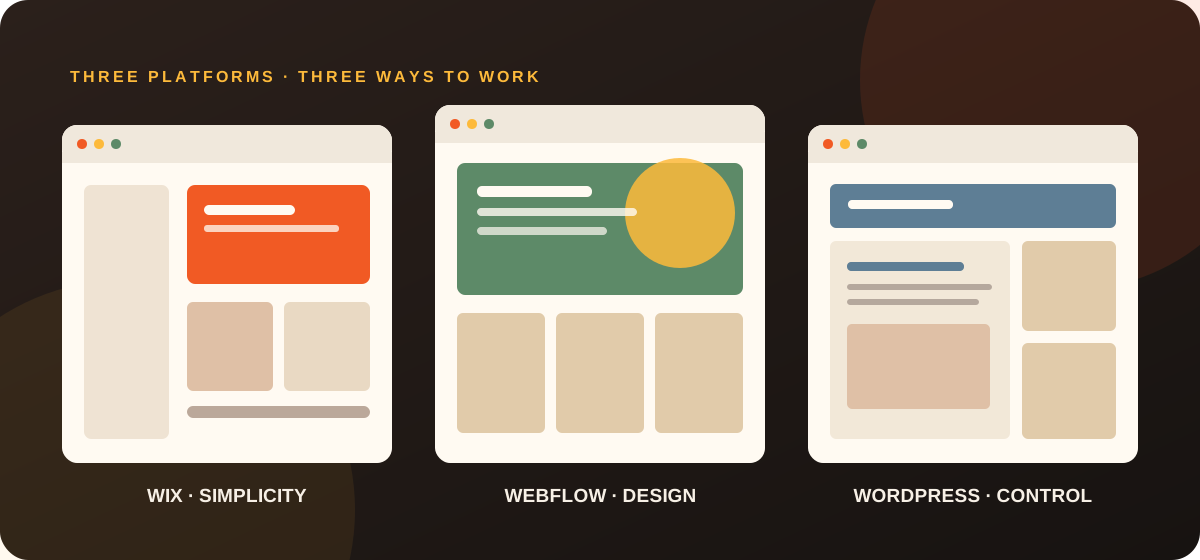
Three popular ways to build a website, three very different ownership experiences. Here's how to choose without paying for complexity you don't need.
Choosing a website platform probably wasn't on your list of reasons for starting a business.
But it's a decision worth getting right.
Your website needs to look professional, make it easy for customers to contact you and give your business room to grow. Just as importantly, you should be able to make simple changes without calling a developer every time.
That's why we often recommend website builders such as Wix, Webflow and WordPress to small businesses.
Not because they're right for everyone, but because a well-built website on the right platform can save you time, money and frustration for years to come.
So which one should you choose?
The short answer
For a typical Australian small business, here's where we'd start.
| Platform | Our recommendation | Biggest consideration |
|---|---|---|
| Wix | Best starting point for many small service businesses | Easy to manage, but tied to Wix hosting and infrastructure |
| Webflow | Best when distinctive design and structured content matter | Powerful, but some changes require more familiarity |
| WordPress | Best when flexibility, plugins or portability are priorities | More responsibility for maintenance and security |
| Custom development | Best for genuinely specialised functionality | Higher complexity and potentially higher ongoing costs |
Our view: Don't choose a platform based on which one sounds most impressive. Choose the one that lets your business do what it needs to do, without unnecessary expense or technical headaches.
1. Wix: Great when you want to get on with running your business
Wix has changed considerably from the basic website builder many people remember.
Today, it offers professional design tools, content management features, online bookings, forms, e-commerce capabilities, a CRM, email marketing and built-in Google Ads and SEO tools.
For a local tradesperson, professional service provider, consultant or small retail business, it can be an excellent fit.
What we like
The biggest advantage is how approachable it is after your website goes live.
Want to change a photo? Update your opening hours? Add a new service? On a properly configured Wix website, many of those jobs are straightforward enough to handle yourself.
There's also less infrastructure for you to worry about. Wix handles the underlying hosting environment, and its tools are designed to work together.
Its SEO features include editable page titles, meta descriptions, image alt text and tools that identify potential optimisation issues.
That doesn't mean Wix will automatically get your website ranking on Google. It means many of the tools needed to manage a search-friendly website are already available.
What to consider
Wix is a hosted platform.
You can use your own domain, but you can't simply take the complete Wix website and run it on a different hosting provider.
Some advanced designs, integrations or unusual functionality may also be better suited to another platform.
And while everyday content updates can be easy, that doesn't mean every part of a professionally designed website is impossible to break. We still recommend establishing sensible editing workflows.
Who we'd recommend Wix for
Small businesses that want a professional website, manageable ongoing costs and the freedom to make routine changes without technical assistance.
Our verdict: For many straightforward small business websites, Wix is the first platform we'd seriously consider.
2. Webflow: When design and presentation matter more
Webflow is particularly appealing when a business wants a more distinctive visual experience.
It gives designers fine control over layouts, responsive behaviour, typography and interactions.
For businesses where brand presentation is a competitive advantage, that flexibility can be valuable.
What we like
Webflow makes it possible to produce highly polished websites without developing every component from scratch.
Its content management system also makes it practical to maintain structured content, such as articles, projects, team profiles and case studies.
This separation between the website's design and its content can be useful.
Rather than letting someone accidentally rearrange an entire page, a developer can establish a structure that allows the business to update the relevant content.
Webflow also provides page-level SEO controls, including titles, descriptions, indexing settings and sitemap functionality.
What to consider
Webflow can be more demanding to learn, particularly when making substantial design changes.
A business owner might find editing an existing blog article straightforward but changing the layout of a complex page considerably less so.
Portability also needs careful consideration.
Webflow supports code export on paid Workspace plans, but exporting a website does not automatically reproduce its CMS, forms, e-commerce features and other hosted functionality elsewhere.
That distinction matters if you expect to move away from Webflow later.
Who we'd recommend Webflow for
Businesses that place a premium on visual presentation, need structured content and are comfortable keeping more complex design changes with a professional.
Our verdict: An excellent option when design flexibility justifies the additional complexity.
3. WordPress: Flexible, powerful and not always the simplest choice
WordPress has been a major part of the website industry for years, and for good reason.
It's flexible, widely supported and backed by a substantial ecosystem of themes, plugins and developers.
With the right setup, WordPress can support everything from a simple brochure website to a sophisticated publishing or commerce platform.
For this comparison, we're referring primarily to self-hosted WordPress.org installations rather than the separately hosted WordPress.com service.
What we like
One of WordPress's greatest strengths is the amount of control it offers.
You can choose your hosting provider, use different themes and extend functionality through plugins or custom development.
You also have substantial freedom to move your website to another hosting provider.
That flexibility can be important for businesses with unusual requirements, existing integrations or plans to expand.
WordPress also supports strong SEO implementations, including through established SEO plugins.
What to consider
That flexibility comes with responsibility.
A typical self-hosted WordPress website involves managing hosting, software updates, plugins, backups and security. WordPress documents the ongoing maintenance these sites need.
Some hosting providers handle much of this for you, but the underlying maintenance requirements don't disappear.
The editing experience can also vary dramatically depending on how the site was built.
A carefully configured WordPress website can be very easy to manage. A complicated collection of plugins and page builders can be frustrating.
Who we'd recommend WordPress for
Businesses with specific functionality requirements, established WordPress workflows, substantial content needs or a strong preference for hosting flexibility.
Our verdict: Still a very capable platform, but not automatically the best option for a small business that simply needs a great-looking website it can maintain.
4. What about SEO and showing up in AI search?
This is one of the most common misconceptions about website platforms.
There isn't one website builder that automatically makes you rank higher on Google.
Wix, Webflow and WordPress can all support search-friendly websites.
What's more important is what you do with them.
A good website needs relevant content, credible expertise, clear page structure, sensible internal links, accessible pages and accurate technical SEO settings.
Your platform should make those things possible and manageable.
How the platforms compare
| SEO consideration | Wix | Webflow | WordPress |
|---|---|---|---|
| Edit page titles and descriptions | Yes | Yes | Yes, often via SEO plugins |
| Image alt text | Yes | Yes | Yes |
| XML sitemap support | Yes | Yes | Yes |
| Custom redirects | Yes | Yes | Yes, depending on setup |
| SEO diagnostic tools | Built in | Varies by feature and integration | Available through plugins and tools |
| Technical flexibility | Good for common needs | Strong design and technical controls | Very extensive with appropriate configuration |
| Ongoing maintenance | Mostly platform-managed | Mostly platform-managed | Depends on hosting and setup |
This comparison describes platform capabilities, not guaranteed SEO performance.
What about AI search, ChatGPT and Google AI Overviews?
You'll increasingly hear terms such as Answer Engine Optimisation (AEO) and Generative Engine Optimisation (GEO).
These describe efforts to make your business easier to discover and understand through AI-powered search experiences.
But there's no secret Wix setting, WordPress plugin or Webflow feature that guarantees your business will appear in AI-generated answers.
Google's guidance continues to emphasise helpful, original content, clear technical structure and conventional SEO fundamentals.
For a small business, that means explaining your services clearly, answering real customer questions, publishing accurate information and making your website accessible to search systems.
The right platform makes those jobs easier. It doesn't do the work for you.
5. The question most businesses forget to ask
Who will look after the website once it's finished?
When you're getting quotes for a new website, it's easy to focus entirely on the initial design and build.
But consider what happens six months later.
You've introduced a new service. Your pricing has changed. You've taken better photos of your work.
Can you update those things yourself?
Or do you have to email your web developer, wait for availability and pay for another small change?
This is where the way a website is built matters just as much as the platform.
A good website handover should leave you in control
At Ember Digital, our aim is to put you in a car you can actually drive.
That means choosing technology that's appropriate for your business, establishing an editing experience you can understand and showing you how to make everyday changes.
We want clients to feel comfortable managing their own websites.
And if you'd rather spend your time running your business and leave the updates to us, that's fine too.
Ongoing support should be a choice, not something you're forced into because your website is unnecessarily complicated.
Want a website you can manage yourself? See how Ember Digital builds websites for Australian small businesses.
6. What about the cost?
The website platform is only one part of what you're paying for.
There can be significant differences between buying a template, having someone install and customise it, and commissioning a professional to plan, design and build your website around your business.
A good website project involves understanding your customers, planning how information should be organised, creating a professional design, establishing the right functionality and checking that everything works before launch.
That expertise still matters when the website is built using a visual website builder.
What ongoing costs should you expect?
Your website may require:
- A domain name.
- A hosting or website platform subscription.
- Premium plugins, apps or integrations.
- Email hosting, where required.
- Optional professional maintenance or support.
The amounts depend on the platform, subscription tier and functionality.
It's worth understanding those ongoing costs before committing, not discovering them when your website is ready to launch.
For a small business, we usually recommend prioritising a manageable total cost of ownership over buying unnecessary technical complexity.
7. So which website platform would we choose for your business?
Here's our practical starting point.
Choose Wix when:
- You run a relatively straightforward service-based business.
- You want to make everyday updates yourself.
- You value simplicity and predictable platform management.
- You don't need highly specialised functionality.
Choose Webflow when:
- Your brand needs a distinctive, highly controlled design.
- You have structured content such as case studies or portfolios.
- You're happy for complex design changes to involve a professional.
Choose WordPress when:
- You have specific plugin or integration needs.
- Hosting flexibility and portability are priorities.
- You already have a well-established WordPress workflow.
- You're comfortable with an appropriate maintenance arrangement.
Consider custom development when:
- Your website requires specialised business logic.
- You need unusual integrations or application functionality.
- The available platforms would impose significant compromises.
And remember, you don't need to decide this yourself before approaching a website designer.
Helping you make that decision should be part of what you're paying them for.
Our final advice
Don't spend thousands of dollars on a complicated website because someone told you it was the more professional option.
And don't choose the cheapest possible setup without understanding how it will work six months from now.
Choose a platform that suits your business, gives your customers a good experience and lets you manage the things you need to manage.
That's what makes a website a useful business tool, rather than another problem to look after.
Further reading and sources
Next step
Need help choosing? We'll help you get it right.
We'll recommend a platform that suits your business, budget and future plans, then build a website you're comfortable using. Professional small business websites start from A$2,950.
Explore Website Design