
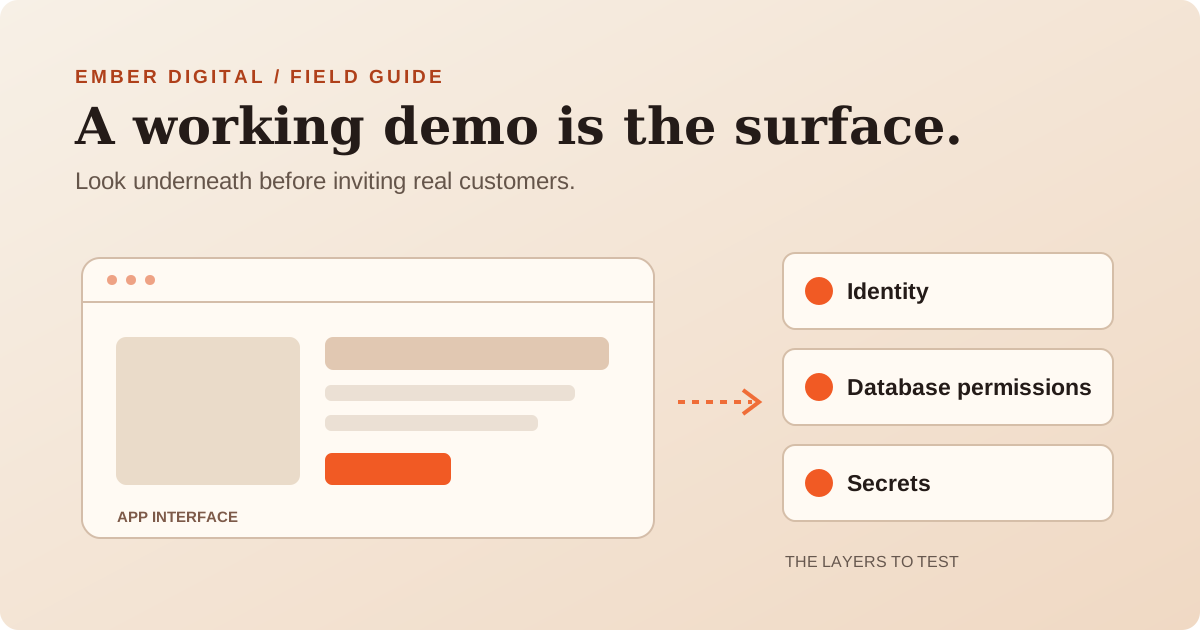
There is a particular moment in a new software project when everything suddenly feels possible. The login works. The dashboard looks good. You can create a record, refresh the page and see it again. Maybe you built the whole thing over a weekend with Lovable, Cursor or another AI coding tool.
Then comes the tempting part: adding your Stripe account, buying a domain and opening registrations.
I'd stop for a review first.
Not because AI-generated code is automatically bad. It isn't. But getting an app to work and making sure people can safely use it are different jobs. The hardest security problems rarely announce themselves with an error message. In fact, many apps with serious access-control mistakes behave perfectly for their creator.
This guide focuses on one common combination: Next.js or React, Supabase, Vercel and sometimes Stripe or an AI API. The ideas apply more broadly, but the examples are deliberately specific.
First, understand the four questions your demo hasn't answered
Who are you?
Alice and Bob can each sign in. The app knows which account made the request.
What can you access?
Each request must check record ownership or another permitted relationship.
- Who are you? Authentication: can the system reliably identify a user?
- What are you allowed to do? Authorization: does each request enforce the user's permissions?
- Who can use your keys? Secrets: can a browser visitor or attacker reuse privileged credentials?
- What happens when things go wrong? Operations: can you recover data, detect failures and handle duplicate requests?
A successful demo usually answers none of these questions on its own.
1. Try to read someone else's data
This is the first test I'd run on a multi-user app.
Create two ordinary test accounts, Alice and Bob, with clearly different test records. Sign in as Alice. Can she only see her own records? Now open the app as Bob. Try the normal UI. Then inspect the network requests in your browser's developer tools. If the app requests a record by ID, does the server or database verify Bob's right to that record, or does it merely trust the ID?
For example, imagine a SaaS app where the browser requests:
Illustrative request: GET /api/invoices/INV-1042
Changing that identifier to one belonging to another test account should not return another customer's invoice. It should return an appropriate denial or not-found response, even when the visitor is signed in. Test only accounts and data that you own or are explicitly authorised to assess.
The failure has a name: broken object-level authorization. OWASP calls it a leading API risk. It is not solved just by hiding a link or checking that the user logged in.
If you're using Supabase, check Row Level Security
Supabase makes building quickly appealing because the browser can connect to a database API using a publishable key. That's intentional. The publishable key is not a password and its appearance in frontend code does not, by itself, constitute a leak.
The important protection is the combination of database privileges and Row Level Security (RLS) policies. For user-owned records, the database should only permit the operations appropriate to the authenticated user. For multi-tenant products, a user must not be able to cross an organisation boundary just by substituting an organisation ID.
You need to review every exposed table and view, not just the one backing your main dashboard. Check storage buckets and administrative operations too. A policy like USING (true) may be correct for an intentionally public catalogue; it is dangerous when applied to customer records that should be private. Views can behave differently from ordinary RLS-protected tables, so do not assume their access rules match.
A useful test: With two test accounts, verify that each can read, create, update and delete only the records allowed by your product's rules. Then test unauthenticated requests. Record expected and actual results. If you can't explain the policy, don't assume it's safe because sign-in works.
Developer reference: Supabase RLS guide, OWASP API risks.
2. Find out which API keys are actually secret
People are often told to “hide all API keys”. That's too simplistic. Some are designed to identify a public app; others can access private data, initiate payments or run up a bill.
A useful distinction
| Key or credential | Browser-safe? | What to know |
|---|---|---|
Supabase publishable key (legacy anon key) | Designed for public clients | Safe only when table grants, RLS and other access controls are correctly configured. |
Supabase secret key (legacy service_role) | Never | Elevated database access that bypasses RLS. Server-only. |
| Stripe publishable key | Designed for public clients | Does not grant the same powers as a Stripe secret key. |
| Stripe secret key / webhook signing secret | Never | Keep on a trusted server; validate incoming events. |
| AI provider API key | Never, unless the provider documents a specifically scoped ephemeral client credential for that use | Ordinary provider keys belong on the backend, not in frontend code. |
For Next.js specifically, the NEXT_PUBLIC_ prefix makes a value available in client-side bundles. That's fine for a public analytics identifier or a Supabase publishable key. It is not fine for an elevated database key or your secret AI API credential.
Moving a secret from source code into an environment variable helps, but doesn't automatically fix a secret that is still referenced by browser code. The point is where the credential is used, not just where it is stored.
What to do before launch
- Search the repository and its history for exposed credentials; use a trusted secret scanner rather than pasting secrets into a chatbot.
- Inspect browser network traffic and production JavaScript bundles for unexpectedly exposed secrets.
- Confirm production, preview and local development use appropriately separated credentials and datasets.
- Give each integration the least privileges possible, and impose usage limits or alerts where supported.
- If a real secret has been exposed, rotate or revoke it. Removing it from the latest commit isn't enough if old copies can still be used.
- Turn on GitHub secret scanning and push protection where available. Check which protections are actually enabled for your repository and plan.
If a privileged key was exposed in a deployed app, treat it as potentially compromised. Assess possible use and data exposure rather than assuming no one noticed.
Developer references: Supabase API key types, Vercel environment variables, GitHub push protection.
3. Don't confuse login with permission
Here is a common scenario. Your app has two roles: customer and admin. The customer never sees the admin button. Great. But what happens if they send the underlying request directly?
Any privileged action needs an authorization check at the server or database boundary. Hiding buttons is an interface decision, not a security control.
In Next.js, pay particular attention to Server Actions and route handlers. They are callable entry points, not private functions simply because they live on the server. Validate inputs and establish the current user and permissions inside the operation or its trusted data-access layer. Do not assume a layout, middleware/proxy check or the browser screen has already done it for you.
Test these cases with authorised accounts:
- Signed out user requests a private endpoint.
- Customer requests an admin-only operation.
- Customer edits the ID of someone else's object.
- A user removed from an organisation tries to use an old session.
- Password reset and email verification links behave as expected.
A 403 or equivalent denied operation can be the correct result. An app that never shows a denial during testing may simply not be testing the dangerous paths.
Developer reference: Next.js Data Security guide and Next.js environment variables.
4. Check what happens when your app calls an external service
If your app uses Stripe, an AI model, email, SMS, maps or a CRM API, you'll have another set of permissions to think about.
Ask: who can trigger this call, how many times can they trigger it, who pays for it, and what happens if the external provider fails?
A form that makes an AI request can turn into a cost problem if it has no appropriate authentication, abuse prevention, request limits or spending alerts. A background task can create duplicate records if a job runs twice. A webhook can appear to work in testing while accepting requests that were never sent by the provider.
For payments, use the payment provider's supported webhook signature verification, confirm the event relates to the expected account/object, and handle duplicate or out-of-order deliveries. Never grant a paid subscription solely because a browser says a checkout succeeded. Store the authoritative payment state on the server and reconcile it against provider events.
See Stripe’s webhook guidance and API key guidance. A good test isn't simply “I bought the test product and reached the thank-you page”. It's also “What happens when the webhook is delayed, repeated, forged or fails halfway through?”
5. Understand the difference between preview and production
Preview environments are useful, but they're easy to misconfigure. They might connect to the same live database or use production credentials. Demo accounts and test records can be mixed with real data. A debug endpoint that was convenient yesterday might still be accessible tomorrow.
Before launch, identify where the following live:
- Production and staging domains.
- Databases, storage buckets and backups.
- Secrets for each environment.
- Authentication redirect URLs and allowed origins.
- Error reporting and logs.
- Deployment access and rollback procedure.
Keep privileged administrative dashboards out of public reach and remove test-only functionality from production. Protect preview environments where sensitive data or credentials are involved. Backups are only useful if you know how to restore them, so test recovery using an appropriate non-production environment.
6. Decide what data you really need
Every additional customer field becomes something you have to protect.
If you don't need a date of birth, don't collect it. If a support request only needs a name and email, don't ask for an entire profile. Think about retention, deletion, access controls and what ends up in logs or AI prompts. Check whether your cloud vendors and AI providers process or retain that information in ways consistent with your obligations and promises to customers.
In Australia, small businesses are not all exempt from privacy law. The Office of the Australian Information Commissioner notes exceptions, including health service providers regardless of turnover. Healthcare and other regulated industries may face additional requirements. Get the appropriate professional advice before using real sensitive data.
Reference: OAIC guidance for small businesses.
7. Give yourself a launch decision, not a vague feeling
A useful review ends with a simple question: what can go wrong, how bad would it be, and what needs fixing before we invite real users?
For a small multi-user SaaS, I'd separate findings like this:
| Priority | Example | What I'd do |
|---|---|---|
| Stop launch | Another user can read private records; a privileged server key is exposed | Fix, rotate credentials as needed, retest and assess prior exposure. |
| Fix before accepting payments | Webhook isn't verified; paid access is based on a browser response | Correct server-side payment flow and test failure cases. |
| Fix before scaling | No resource limits, alerts or recovery runbook | Put appropriate operational safeguards in place. |
| Plan and improve | Minor UI problem, low-risk dependency cleanup | Track with an owner and review date. |
These are examples, not universal risk classifications. Severity depends on context and exploitability.
The 12-question pre-launch checklist
Download the printable 12-question checklist ↓No email required. This is a self-check, not a security certification.
Use this as a quick self-check, not a certification:
- Can user A ever fetch user B's records, even by changing request identifiers?
- Are RLS policies and database grants reviewed for every exposed Supabase table?
- Are all privileged database and API keys absent from browser bundles and repository history?
- Have exposed secrets been rotated, and has potential misuse been assessed?
- Does every sensitive route and Server Action check identity and permissions?
- Have we tested unauthenticated, ordinary-user and admin roles separately?
- Are payments confirmed using trusted server-side provider events?
- Can webhooks and jobs handle retry, duplicate and out-of-order execution?
- Are expensive API calls protected by appropriate limits, validation and monitoring?
- Are staging and production environments separated appropriately?
- Can we restore critical data and roll back a faulty deployment?
- Do we know what personal data we collect, store, log, share and delete?
If you can't answer one of these, it doesn't prove you've built an insecure app. It means there's an area you haven't verified yet.
What I'd do next
Keep building with AI if it helps you move faster. Just don't let a successful demo become the only evidence you need to launch.
Start by testing what a normal user can access. Check your credentials. Review any actions that change customer records, move money or incur API costs. Then document what you've actually tested and which risks remain.
If you have an app ready for its first real customers, Ember Digital offers an independent vibe-coded app audit and launch review. We review the agreed code and configuration, test high-risk access paths and give you a prioritised list of what to fix, without insisting that everything be rebuilt.

About the author
Jeremiah Flickinger
Jeremiah is the founder of Ember Digital. He has built production React and PostgreSQL applications, worked with role-based permissions and integrations, and supported cloud-deployed products.
More about Jeremiah and Ember DigitalIndependent launch review
Know what to fix before real users arrive.
We can review your agreed code, configuration and high-risk access paths, then give you a prioritised findings report.
Explore the Vibe-Coded App Audit